This blog post describes how you can have an LLM analyze comments on a long LinkedIn thread.
Update 29.Dec.2025: Article moved here:
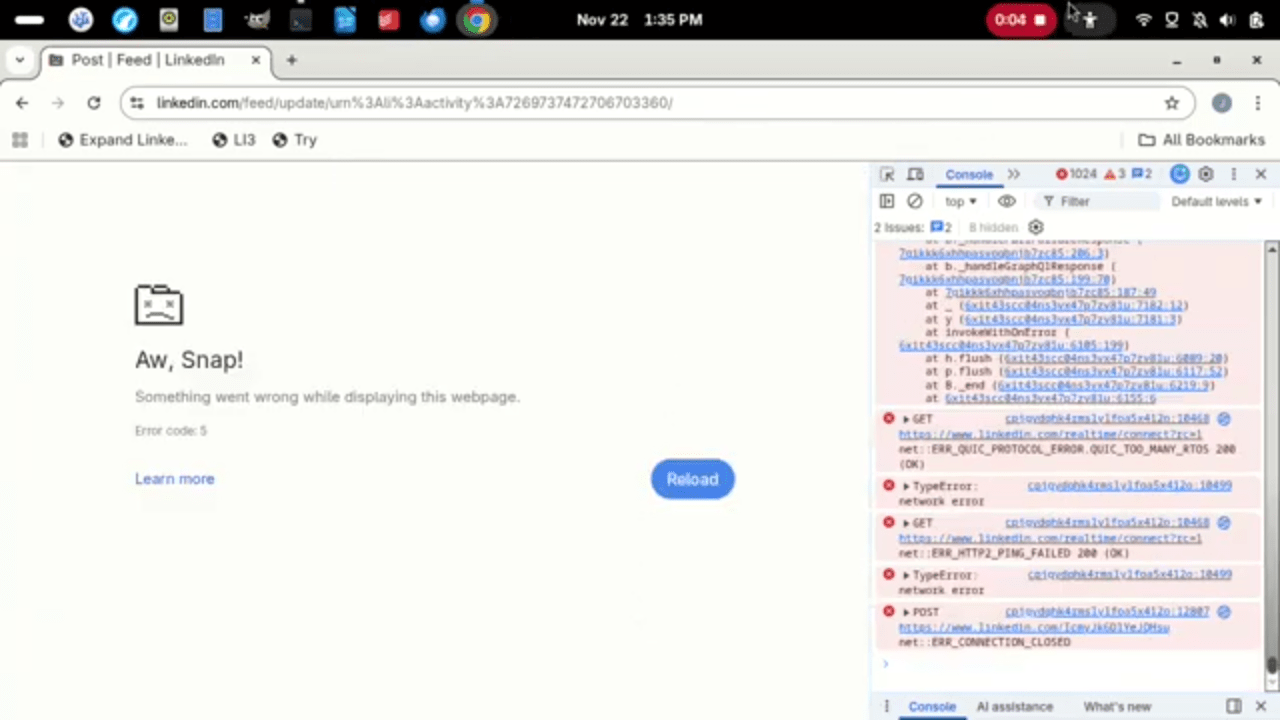
Here’s a video showing the automated process in action until it crashes at about 4,000 comments loaded:
Update 28.Nov.2025: See also:
The first step is to get LinkedIn to load all of the comments. This requires a few things:
- Switch from Most relevant to Most recent view, which allows the browser to load all of the comments.
- Load all the comments.
- Scroll to the bottom of the page and, if necessary, click Load more until there are no more comments to load.
- Click any See previous replies links that appear above comments. In some views, it may be necessary to do something similar for something like “See more replies”.
- Click any More… links to expand the comments.
- To avoid exceeding LLM prompt length limits, print the page to a PDF or copy the text into a file that you can upload.
- Prompt the LLM and upload the file.
I asked someone to write some JavaScript to automate the first two steps. Unfortunately, it doesn’t seem to work as a bookmarklet. Contact me if you want the code. I’m trying to get some enhancements made and permission to share it in public.
To run the code in google’s chrome desktop browser:
- Load the thread in a desktop browser. You can use the Copy link to post option that appears when you click the three vertical dots at the top right of the post to copy its URL into the operating system clipboard and paste that into the address bar of the new browser window that appears when you press CTRL+N.
- Copy the script into your operating system clipboard.
- Return to the thread and press F12 to open developer tools. There may be many warnings that you can probably ignore.
- In the developer tools panel, click Console.
- Paste the script into the text box at the bottom of developer tools. You may get a warning about pasting scripts, in which case you can follow the instructions provided with that warning to enable a setting that allows pasting. You can probably ignore additional warnings that may appear.
For threads with thousands of comments, this can take quite some time, gets slower as more comments load, uses a great deal of memory, and may cause the browser to crash. You may want to drag the browser tab onto a second screen and leave it running in the foreground there while you do other work.
You can press F12 again to hide the developer tools.
Test threads:
- Relatively short: https://www.linkedin.com/posts/yann-lecun_as-many-of-you-have-heard-through-rumors-activity-7397020300451749888-2lhA
- Incredibly long: https://www.linkedin.com/feed/update/urn%3Ali%3Aactivity%3A7269737472706703360
An example prompt for the LLM analysis of the PDF might be something like:
Using less than 1200 characters, summarize points in comments in the attached file as a simple bulleted list. Indicate percentages of comments that agree and disagree with the post and each significant perspective in the comments.
Original attempt:
To get an entire slashdot thread, in a desktop browser:
- Log in to slashdot.org.
- Access the thread.
- In the header under the article body, drag the two arrows under Full Abbreviated High all the way to the right (under )Hidden)
Test thread:
Update 22.Nov.2025: Below is updated code from the vendor implemented as a bookmarklet, which avoids the need to use the developer tools console for cutting and pasting. This code has additional features to remove images from comments and otherwise reduce the resulting printed size, which may reduce browser memory load for very long pages, but increases DOM change events, which may counteract any impact from that reduction. The vendor did not request attribution.
To register the bookmarklet (do this only once) in google’s chrome:
- Press Ctrl+Shft+O to show the bookmark manager.
- Click the three dots at the top right to show the bookmark manager menu.
- Add a new bookmark named something like “Expand LinkedIn Comments” with the following for URL:
javascript:(function(){var pausedLoading=false;var commentNotLoadingCount=0;var previousReplyLoadingCount=0;var allCommentsLoaded=false;function getRandomInt(min,max){min=Math.ceil(min);max=Math.floor(max);return Math.floor(Math.random()*(max-min+1))+min;}function triggerClick(el){if(el)el.dispatchEvent(new MouseEvent("click",{bubbles:true}));}function changeToMostRecent(){var buttonForSort=document.querySelector(".comments-sort-order-toggle__dropdown button");triggerClick(buttonForSort);var timeoutIn1=getRandomInt(500,1000);setTimeout(function(){var lastItem=document.querySelector(".comments-sort-order-toggle__content li:last-child");triggerClick(lastItem);var timeoutIn2=getRandomInt(2000,3000);setTimeout(function(){var buttonText=buttonForSort.textContent||"";if(buttonText.includes("Most recent")){var timeoutIn3=getRandomInt(200,400);setTimeout(function(){UIChanges();loadAllComments();loadPreviousReplies();},timeoutIn3);}else{alert('Most Recent is not Selected');}},timeoutIn2);},timeoutIn1);}function UIChanges(){document.querySelectorAll(".scaffold-layout__sidebar,.scaffold-layout__aside,#msg-overlay,#global-nav").forEach(el=>el.remove());var inner=document.querySelector(".scaffold-layout__inner");if(inner)inner.style.width="90%";var grid1=document.querySelector(".scaffold-layout__content--sidebar-main-aside");if(grid1){grid1.style.gridTemplateAreas='"main"';grid1.style.gridTemplateColumns="var(--scaffold-layout-main-width)";}document.querySelectorAll(".feed-shared-inline-show-more-text").forEach(el=>el.style.maxWidth="100%");document.body.insertAdjacentHTML("afterbegin","<a id='pauseBtn' style='cursor:pointer;padding:5px;bottom:0px;background:black;color:white;position:fixed;font-size:25px;z-index:9999999999999;text-align:center;'>Pause</a>");document.body.insertAdjacentHTML("afterbegin","<a id='playBtn' style='display:none;cursor:pointer;padding:5px;bottom:0px;background:black;color:white;position:fixed;font-size:25px;z-index:9999999999999;text-align:center;'>Start</a>");document.body.insertAdjacentHTML("afterbegin","<a id='printBtn' style='display:none;cursor:pointer;padding:5px;bottom:0px;left:75px;background:black;color:white;position:fixed;font-size:25px;z-index:9999999999999;text-align:center;'>Print</a>");document.body.insertAdjacentHTML("afterbegin","<a id='commentCounter' style='bottom:0px;right:0px;padding:5px;background:black;color:white;position:fixed;font-size:25px;z-index:9999999999999;text-align:center;'></a>");}function loadAllComments(){document.querySelectorAll(".comments-comment-list__container img").forEach(el=>el.remove());var counter=document.querySelector("#commentCounter");if(counter){counter.textContent=document.querySelectorAll(".comments-comment-item__main-content").length;}document.querySelectorAll(".feed-shared-inline-show-more-text__see-more-less-toggle").forEach(el=>triggerClick(el));var commentLoadMoreBtn=document.querySelector(".comments-comment-list__load-more-container");var commentLoadMoreBtnSelector=document.querySelector(".comments-comment-list__load-more-container button:first-child");triggerClick(commentLoadMoreBtnSelector);var timeoutIn1=getRandomInt(500,700);requestAnimationFrame(function(){if(!commentLoadMoreBtn){commentNotLoadingCount++;}else{commentNotLoadingCount=0;}if(!pausedLoading&&commentNotLoadingCount<=600){loadAllComments();}if(commentNotLoadingCount>600){alert("All comments are loaded.");allCommentsLoaded=true;}},timeoutIn1);}function resetElementInDom(){}function loadPreviousReplies(){var previousReplySelector=document.querySelector(".comments-replies-list__replies-button[aria-label^='Load previous replies']");triggerClick(previousReplySelector);var timeoutIn2=getRandomInt(1000,2000);requestAnimationFrame(function(){if(allCommentsLoaded){if(!previousReplySelector){previousReplyLoadingCount++;}else{previousReplyLoadingCount=0;}}if(!pausedLoading&&previousReplyLoadingCount<=600){loadPreviousReplies();}if(previousReplyLoadingCount>600){resetElementInDom();alert("All previous replies are loaded.");document.querySelector("#pauseBtn").style.display="none";document.querySelector("#playBtn").style.display="none";document.querySelector("#printBtn").style.display="block";}},timeoutIn2);}document.addEventListener("click",function(e){if(e.target.id==="pauseBtn"){pausedLoading=true;e.target.style.display="none";document.querySelector("#playBtn").style.display="block";document.querySelector("#printBtn").style.display="block";resetElementInDom();}if(e.target.id==="playBtn"){pausedLoading=false;e.target.style.display="none";document.querySelector("#pauseBtn").style.display="block";document.querySelector("#printBtn").style.display="none";loadAllComments();loadPreviousReplies();}if(e.target.id==="printBtn"){window.print();}});changeToMostRecent();})()
 deliverystack.net
Smart breakdown. Exporting the full thread and letting an LLM summarize it is a neat way to analyze sentiment at scale.
LikeLike
Thanks, I’d like to automate more of it. The reason I went with 1,200 characters in the prompt is that I like to post the analysis into the thread (and indicate the comment count at the time) for anyone else that could use a summary, and LI has ridiculous character limits.
LikeLike
https://deliverystack.net/2025/11/26/format-text-in-linkedin-comments/
LikeLike