This blog post describes a process for implementing an Orchex orchestration processor that logs to loggly, and how to call that processor from another processor.
Update 15.Dec.2025: After years of frustration with WordPress, I am finally abandoning this blog. The content will likely stay here for some time, but new content will appear here:
For background information about orchestration processors, see:
As with most processors that invoke web services, start with settings to avoid hard-coding (in this case, considering static JSON as code). In this example, I using one setting for the token and “hard-code” the domain, as the token is likely to change, but the domain is not, I’m kindof lazy, and it’s just a demo.
{
    "description": "Loggly customer token",
    "dontexportkey": false,
    "dontexportvalue": false,
    "encrypted": false,
    "key": "demo-loggly-token",
    "valueperenv": true,
    "values": ["<redacted>"]
}

./json/settings/loggly/token.json
Next, implement a template for processors that access loggly, although this is a bit overkill if we only have one such processor. As usual, I started by getting a curl to work, and then broke it down.
Because I would want to swap out vendors without changing processor identifiers, I would not key such a generic processor after the vendor, unless maybe I use multiple vendors or it would somehow otherwise make sense. But I also wouldn’t include demo in a processor key, and in this case, it’s helpful to indicate both aspects.
Also, async_execution should probably be true, because I wouldn’t want the orchestration process to have to wait for the logging HTTP request to complete before proceeding, especially if a single orchestration process uses it repeatedly. I’m currently battling with Rust over this, so ignoring it in this post for now.
{
    "key": "demo-loggly-template",
    "webapi": {
      "protocol": {
        "block_type": "literal",
        "content": "https"
      },
      "domain": {
        "block_type": "literal",
        "content": "logs-01.loggly.com"
      }
    }
}

./processors/demo/loggly/template.json
Next, the logging processor itself, which inherits from that template:
{
    "key":"demo-loggly-log",
    "inherits":"demo-loggly-template",
    "async_execution": false,
    "webapi": {
        "method": {
            "block_type": "literal",
            "content": "POST"
        },
        "rootpath": {
            "block_type": "js_inline",
            "content": "result = '/inputs/' + get_setting('demo-loggly-token');"
        }
    }
}
We can invoke this processor with curl.
time curl -X POST http://127.0.0.1:3030/processors/demo-loggly-log/invoke -H "Content-Type: application/json" -d '{"message": "Invoking demo-loggly-log from curl" }'
Performance isn’t great, though that’s mostly network round trip for the webservice API, which will basically disappear if we make the logging processor async.
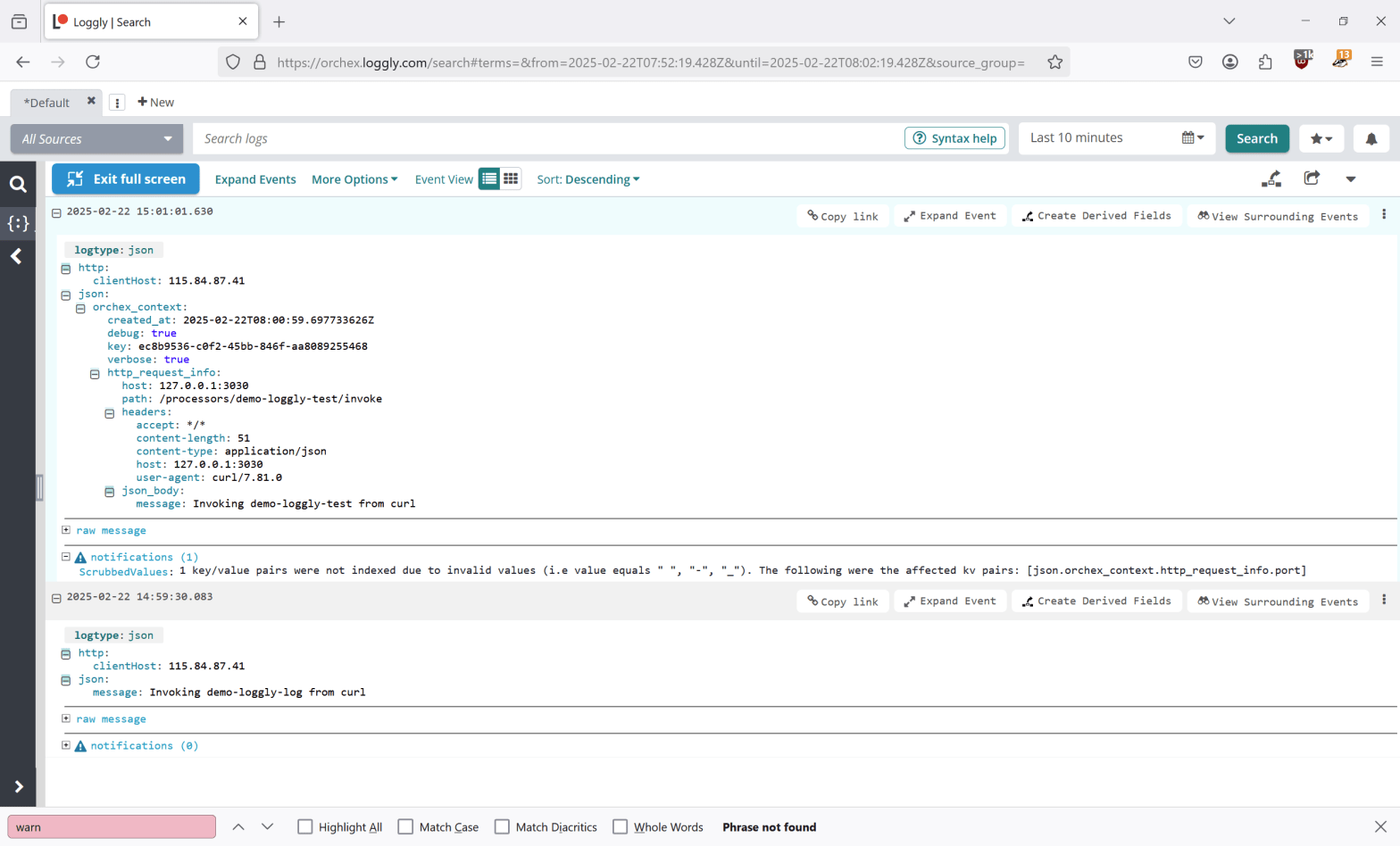
We can use the invoke_processor() function to invoke this processor from JavaScript running in another processor. This example logs the orchestration context.
Possibly due to the quick_js JavaScript virtual machine currently in use, we can only pass one argument from JavaScript to a Rust callback, but since that argument is JSON, we can pass any number of values. The invoke_processor() function reserves the call_processor key to identify the processor to invoke.
{
    "key":"demo-loggly-test",
    "mainfunction": {
        "block_type": "js_inline",
        "content": "

result = JSON.parse(
    invoke_processor(
        JSON.stringify({'call_processor': 'demo-loggly-log', 'orchex_context': orchex_context })));

        "
    }
}

./json/processors/demo/loggly/test.json
Note that this processor uses the loggly processor without inheriting from it or its template.
Note also that the invoke_processor() function does not register processor dependencies, making the invoked processor more reusable. Visualizations of the orchestration process may indicate processors invoked using this method.
time curl -X POST http://127.0.0.1:3030/processors/demo-loggly-test/invoke -H "Content-Type: application/json" -d '{"message": "Invoking demo-loggly-test from curl" }'
If you look closely, you can see that there’s a bug – port is coming through in context as part of host. We’ll fix that.

 deliverystack.net