Orchex has a functional Enterprise Orchestration (EOE) kernel (backend) prototype. One core feature of an enterprise orchestration engine is the ability to invoke orchestration processes that accept an input payload and generate an output payload, typically using webservice APIs. You can think of an EOE as a JSON manipulation machine. The Orchex EOE is written in Rust but lets you use JavaScript to configure orchestration processes.
Update 15.Dec.2025: After years of frustration with WordPress, I am finally abandoning this blog. The content will likely stay here for some time, but new content will appear here:
Before proceeding, see:
Simplest Example Orchestration Processor
Let’s start with the easiest possible processor: one that does nothing. We could use an API to create the setting, but it’s easier to just create a file.
{
    "key": "ping"
}

./json/processors/ping.json
If we run Orchex in one terminal window and use curl to invoke APIs from another we see that this processor returns the body passed to it.
time curl -X GET http://127.0.0.1:3030/processors/ping/invoke | jqHTTP GET does not allow a body, but POST does, in which case we must remember to include Content-Type: application/json in the HTTP headers.
time curl -X POST http://127.0.0.1:3030/processors/ping/invoke -d '{"hello": "World!"}' -H "Content-Type: application/json" | jq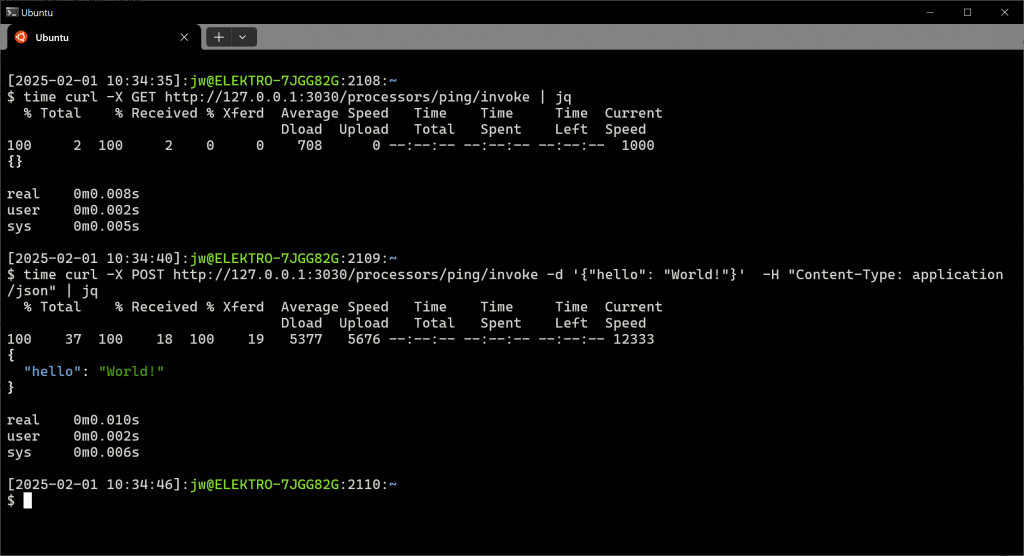
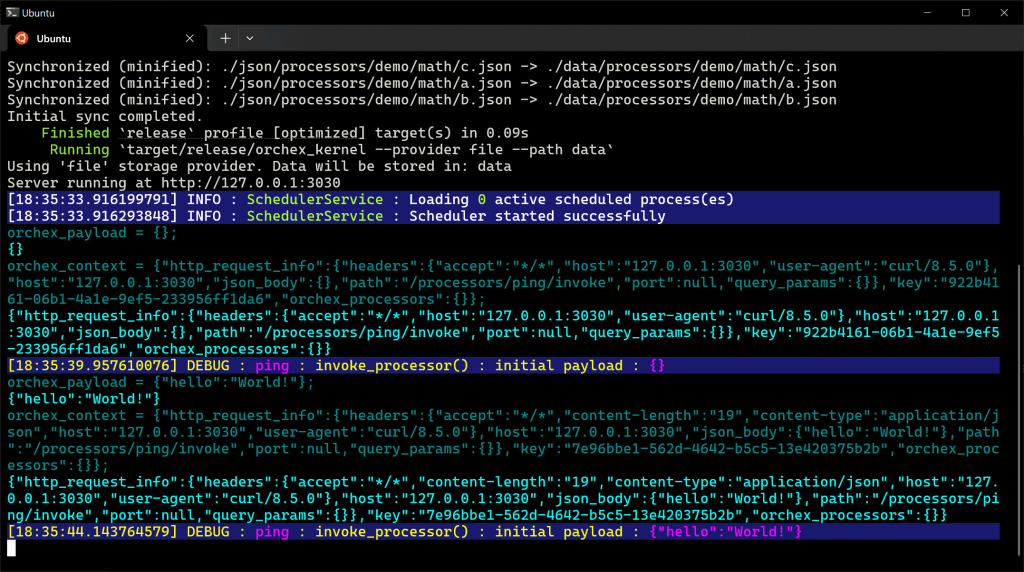
This is how it looks on the server, but note that messages do not always appear in exact chronological order. Logging is already in place separate from console output, where we’re working on configuration for verbosity, color schemes, and otherwise. White on black is my default console, blue background is informational, blue on black is JavaScript commands and responses. Here we can see two invocations of the ping processor.
Example URL Orchestration Processor
Next, let’s call an API, or at least consume some JSON from a URL.
Update: These JSON fragment is obsolete. All properties relevant to webservice APIs have moved under a root webapi key.
{
  "key": "demo-ip",
  "method": {
    "block_type": "literal",
    "content": "GET"
  },
  "protocol": {
    "block_type": "literal",
    "content": "https"
  },
  "domain": {
    "block_type": "literal",
    "content": "api.aruljohn.com"
  },
  "rootpath": {
    "block_type": "literal",
    "content": "/ip/json"
  },
  "postrunscript": {
    "block_type": "js_inline",
    "content": "result = orchex_response;"
  },
  "cachingoptions": {
    "cacheable": true
  }
}

./json/processors/demo/ip.json
You can see Orchex LogicBlocks here: the block_type property instructs the engine how to process the field.
This processor will GET https://api.aruljohn.com/ip/json and then set the response of the orchestration process to the value returned by that request. The variable name result is irrelevant. The variable name orchex_response holds the result of the HTTP call. The value of a JavaScript fragment is the last value interpreted in that fragment. The assignment of orchex_response to result is a valid JavaScript statement that evaluates to orchex_response, causing the processor to set the payload to that value, which is the response from the webservice API.
Caching options specify to cache the output of this processor indefinitely. This webservice API returns the public IP address of the client, which in this case is the Orchex server. We don’t expect it to change, so we can cache it.
We can call it to see the result of caching, in this case about .41 seconds without caching (to call the remote service) and .01 seconds to retrieve that cached value.

Example Kontent.ai Orchestration Processor
The next example retrieves content from the Kontent.ai headless CMS, transforms that content, and caches the output.
By default, Kontent.ai does not secure access to content, but otherwise it would be important to consider security when accessing any service-oriented system. The Orchex prototype doesn’t restrict access to the EOE either, but security is on the roadmap.
First, let’s define a setting to avoid hard-coding values, especially those that vary by environment.
{
  "description": "This is a test setting.",
  "dontexportkey": false,
  "dontexportvalue": true,
  "encrypted": false,
  "key": "kontent_id",
  "valueperenv": true,
  "values": ["<kontent.ai identifier>"]
}

./json/settings/kontent_id.json
Replace <kontent.ai identifier> with your Kontent.ai project identifier. This defines a single setting with the name kontent_id expected to differ in each EOE environment. Each EOE environment likely connects to a different Kontent.ai project and we don’t want to access the wrong one by accident, hence some of the flags beyond scope here. Settings can have multiple values, but like most settings, this setting has a single value.
Assuming that our project will want to use multiple Kontent.ai APIs, we can create a template to contain other reusable values for processors that call Kontent.ai.
{
  "key": "template-kontent",
  "method": {
    "block_type": "literal",
    "content": "GET"
  },
  "protocol": {
    "block_type": "literal",
    "content": "https"
  },
  "domain": {
    "block_type": "literal",
    "content": "deliver.kontent.ai"
  },
  "rootpath": {
    "block_type": "js_inline",
    "content": "result = '/' + get_setting('kontent_id');"
  },
  "path": {
    "block_type": "js_inline",
    "content": "result = '/items/' + orchex_payload.code_name"
  },
  "qs": [
    {
        "name": "depth",
        "logic_block": {
          "block_type": "literal",
          "content": "3"
        }
    }
}

./json/processors/template/kontent.json
This will construct a request to GET https://deliver.kontent.ai/<kontent.ai identifier>/items/<code_name>?depth=3″, where <code_name> is the unique key of an item in Kontent.ai. This requires that we pass <code_name> in the payload when invoking this orchestration process. In fact, we can invoke this processor as it is.
curl -X POST http://127.0.0.1:3030/processors/template-kontent/invoke -H "Content-Type: application/json" -d '{"code_name": "home"}' | jqAt least for now, by default, an orchestration process no implementation simply returns its payload. If we want it to return the webservice API response, we have to tell the orchestration process to do so. We could add a block to the existing processor instructing it to set the response to the webservice API response.
...
  "qs": [
    {
        "name": "depth",
        "logic_block": {
          "block_type": "literal",
          "content": "3"
        }
    }
  ],
  "postrunscript": {
    "block_type": "js_inline",
    "content": "result = orchex_response;"
  }
}
This configures the final stage of the processor to set its response to the response received from the Kontent.ai webservice API. The variable name result is meaningless; the last JavaScript statement evaluated determines the value. The variable name orchex_response holds the result of the Webservice API.
The screen following shot shows both configurations.

Instead of adding that clause to that template for Kontent.ai processors, create another processor that inherits from that template, making it more reusable. We will use a function to reduce JSON and include a cachingoptions block to control whether to cache the output for this processor.
{
    "key":"demo-kontent",
    "inherits":"template-kontent",
    "postrunscript": {
        "block_type": "js_inline",
        "content": "
function extractElements(elements) {
    return Object.fromEntries(
        Object.entries(elements).map(([key, value]) => [key, value.value])
    );
}

function processModularContent(modularContent) {
    return Object.fromEntries(
        Object.entries(modularContent).map(([key, value]) => [
            key,
            {
                elements: Object.fromEntries(
                    Object.entries(value.elements).map(([k, v]) => [
                        k,
                        {
                            name: v.name,
                            type: v.type,
                            value: v.value,
                        },
                    ])
                ),
            },
        ])
    );
}

if ('error_code' in orchex_response) {
    result = orchex_response;
} else {
    result = {
        item: {
            elements: extractElements(orchex_response.item.elements),
        },
        modular_content: processModularContent(orchex_response.modular_content),
    };
}"
    },
    "cachingoptions": {
        "cacheable": true,
        "cache_key_script": "result = orchex_payload;"
    }
}

./json/processors/demo/kontent.json
If Kontent.ai returns the item, this reduces its JSON, otherwise it handles 404 or other condition by simply returning the error from Kontent.ai.
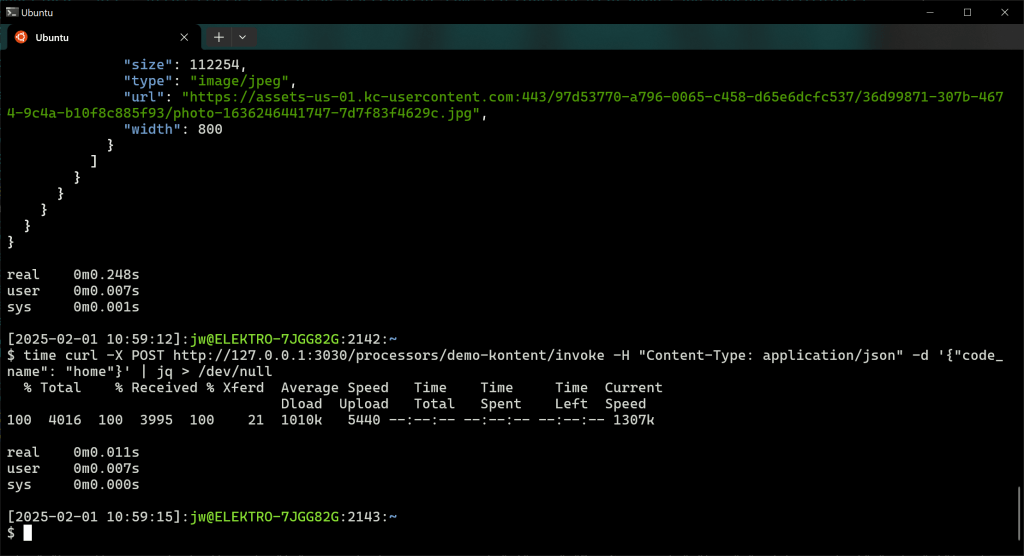
time curl -X POST http://127.0.0.1:3030/processors/demo-kontent/invoke -H "Content-Type: application/json" -d '{code_name": "home"}' | jq
Again you can see the performance impact of caching: almost .25 seconds without caching, about .01 seconds with caching:
Processor Dependencies Example
The next example introduces dependencies. Two processors define values that a third processor uses. For demonstration purposes, we’ll just use inline JavaScript to define values, but remember that processors typically invoke webservice APIs.
The demo-math-a processor defines a value named a:
{
  "key": "demo-math-a",
  "postrunscript": {
    "block_type": "js_inline",
    "content": "result = {'a': 5};"
  }
}

./json/processors/demo/math/a.json
The demo-math-b processor defines a value named b:
{
  "key": "demo-math-b",
  "postrunscript": {
    "block_type": "js_inline",
    "content": "result = {'b': 7};"
  }
}

./json/processors/demo/math/b.json
The demo-math-c processor adds those values:
{
  "key": "demo-math-c",
  "postrunscript": {
    "block_type": "js_inline",
    "content": "

result = {
  'value': orchex_context.orchex_processors['demo-math-a'].output_json.a
    + orchex_context.orchex_processors['demo-math-b'].output_json.b};"
  }
}

./json/processors/demo/math/c.json
Now we can invoke it:
time curl -X GET http://127.0.0.1:3030/processors/demo-math-c/invoke | jq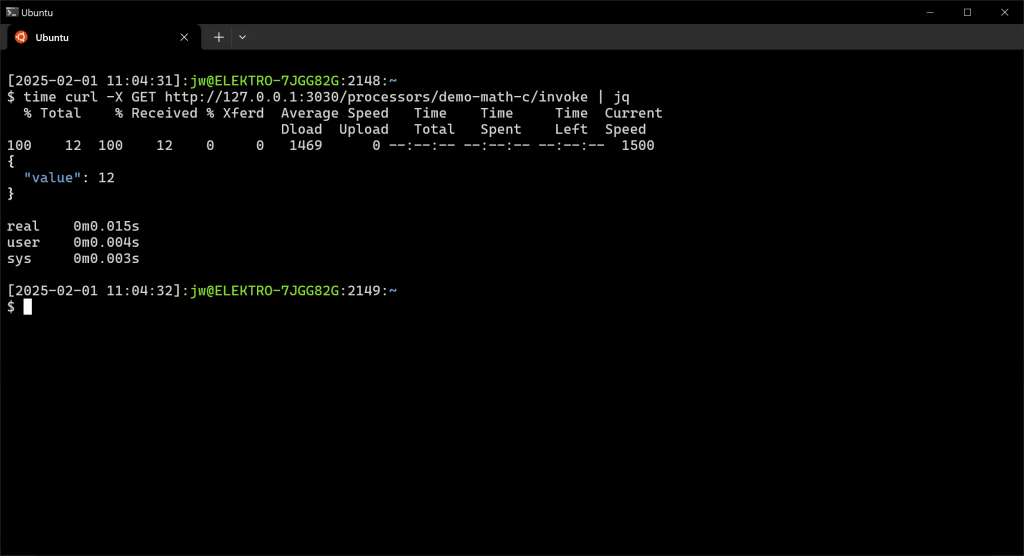
Here’s some of the server output, but again note that messages don’t appear in exact chronological order due to asynchronous programming constructs in use:
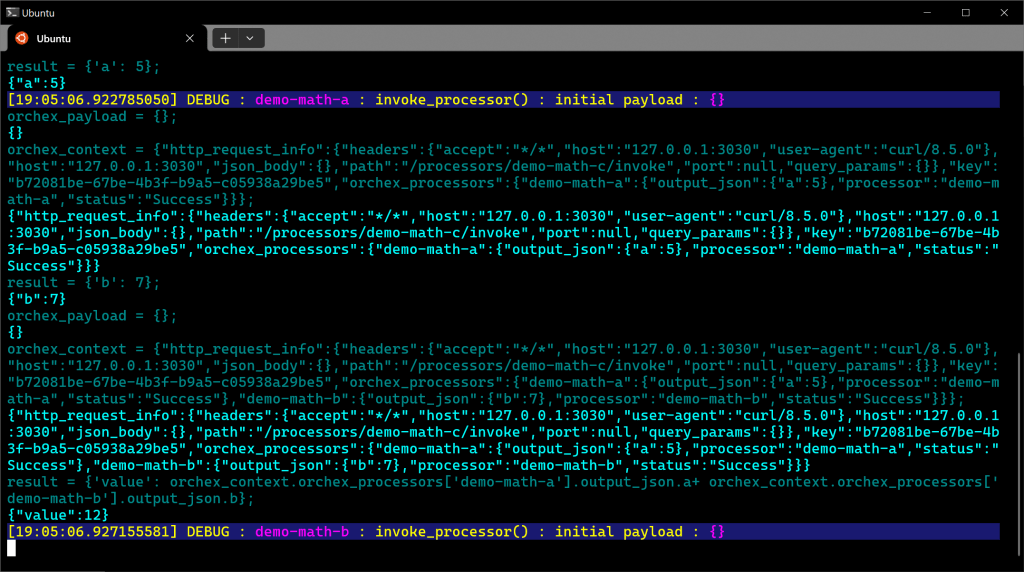
The orchestration engine identifies that demo-math-c depends on demo-math-a and demo-math-b and actually invokes those two in parallel, as they don’t depend on anything else. It then passes their output to demo-math-c in the orchex_context variable.
The caching expression for this processor would include at leastorchex_context.orchex_processors[‘demo-math-a’].output_json.a and orchex_context.orchex_processors[‘demo-math-b’].output_json.b.
Scheduled Processes
Sometimes it’s convenient to monitor the server output and avoid curl. Sometimes it’s convenient to cause a process to run when the server starts. We can use a scheduled process for this.
{
  "key": "demo-once",
  "schedule": "* * * * * *",
  "processor": "demo-math-c",
  "run_once": true
}

./json/schedule/demo/once.json
This says to invoke the demo-math-c once every second, although the scheduler intentionally prevents multiple simultaneous occurrences of a single scheduled processor at any time. The run_once flag causes the scheduler to run this job once and prevent recurrence anyway.
The following screen shot shows server output for this scheduled task, although due to the asynchronous nature of Orchex, output does not always appear in chronological order.
White on black is my default console color scheme, cargo completing compilation before invoking Orchex. The first few log messages show it processing the schedule definition before starting the server. That scheduled job immediately runs, which starts by invoking the dependencies. The black output shows interaction with a JavaScript virtual machine, with the darker color indicating commands and the lighter color representing responses form JavaScript.

 deliverystack.net
4 thoughts on “-Orchex Simple Processor Examples”