The approach described in this blog post writes information about JavaScript objects (including their properties, methods, and values) to the console, recursing through objects exposed as properties, making it easier to see what is available without referring to the documentation, and writing identifiers to the console that a developer can easily copy and paste into code. There are probably better ways to do this, libraries even; but this works for me and I like to have this level of control over instrumentation. I am currently using this to evaluate the Contentstack UI extension JavaScript library, but a similar approach should work with any library.
Update 15.Dec.2025: After years of frustration with WordPress, I am finally abandoning this blog. The content will likely stay here for some time, but new content will appear here:
After a few decades of doing my best to avoid it, I am finally starting to learn JavaScript. I know that I should read books. I know that I should read the documentation. I spend plenty of time reading code samples. I often find it easier and faster to scan data and read code, especially when I can copy and paste. The approach described here allows copying identifiers rather than calculating them from API docs.
It took a while to get it working, but there really is not much to the code. You need to pass the object to debug to a recursive method. In this case, I am developing a Contentstack widget, which is a form of UI extension, and I want to see what the extension framework provides. First, this code outputs the JSON of the entry selected in the content management UI, which provides a tree nav. Then it outputs some information about the extension object, its methods, and its values. The code descends into any properties of type object, showing the same information indented an additional level, and additional levels for their object descendants.
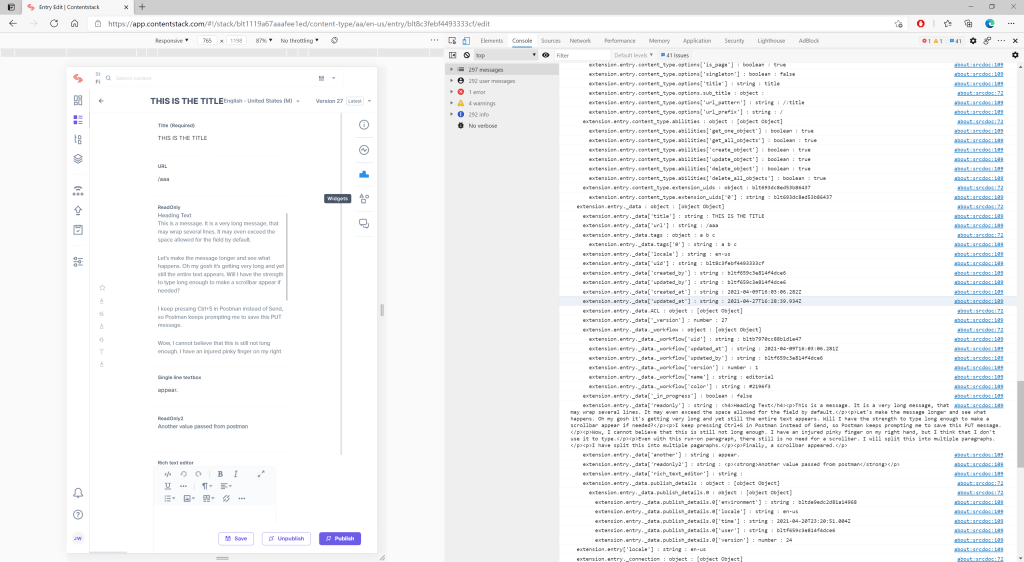
The “reflection” work is apparently fast, but there is some delay before the output appears on the console.
Below is the bare-bones code, which I subsequently incorporated into to the developer widget that I had developed previously.
Without saying anything about best practice, code quality, or testing, this seems to function with no adverse side-effects.
<html>
  <head>
    http://a%20href=
  </body>
</html>
 deliverystack.net
One thought on “-Write Information about JavaScript Objects to the Browser Console”