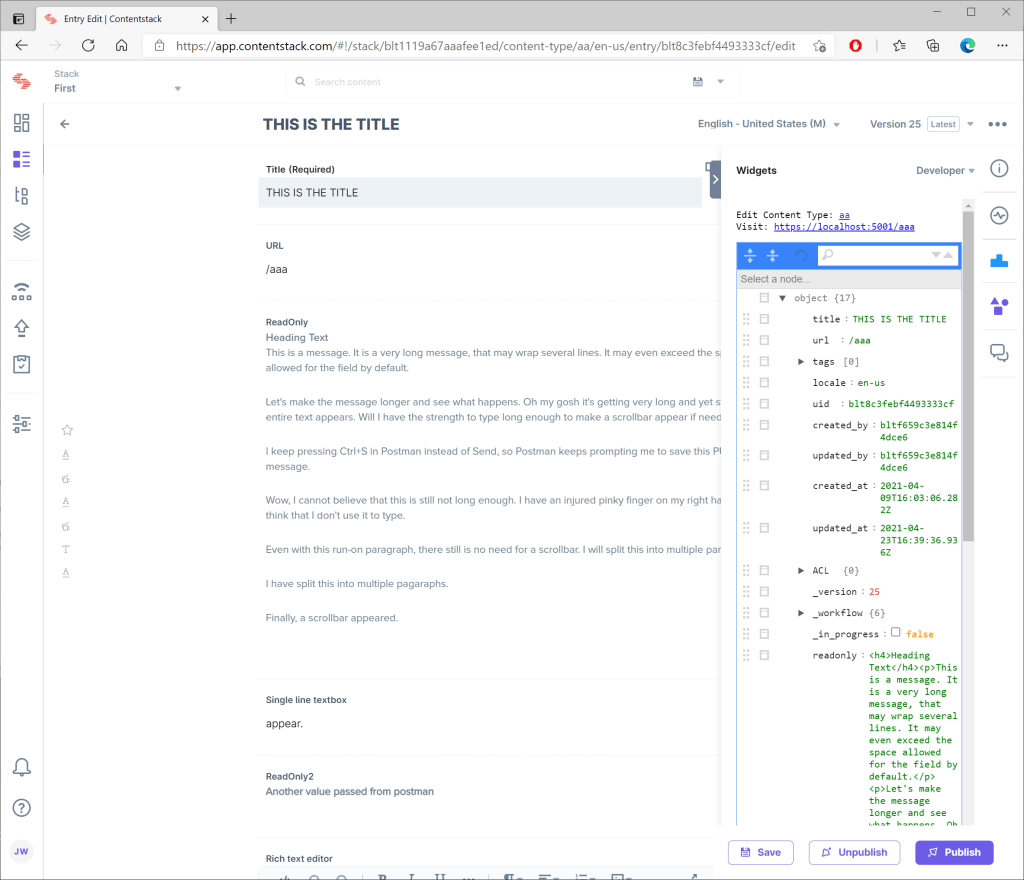
I renamed the custom Contentstack widget that I had previously developed to render the JSON of an entry to include links to Developer and added links to edit the content type and preview the page. I did not have to change any HTML or JavaScript to get this to work in the new (2021) Contentstack Venus user interface.
Update 15.Dec.2025: After years of frustration with WordPress, I am finally abandoning this blog. The content will likely stay here for some time, but new content will appear here:
I pass configuration to the extension to specify the server root for previewing.
{
  "preview": {
    "baseurl": "https://localhost:5001"
  }
}
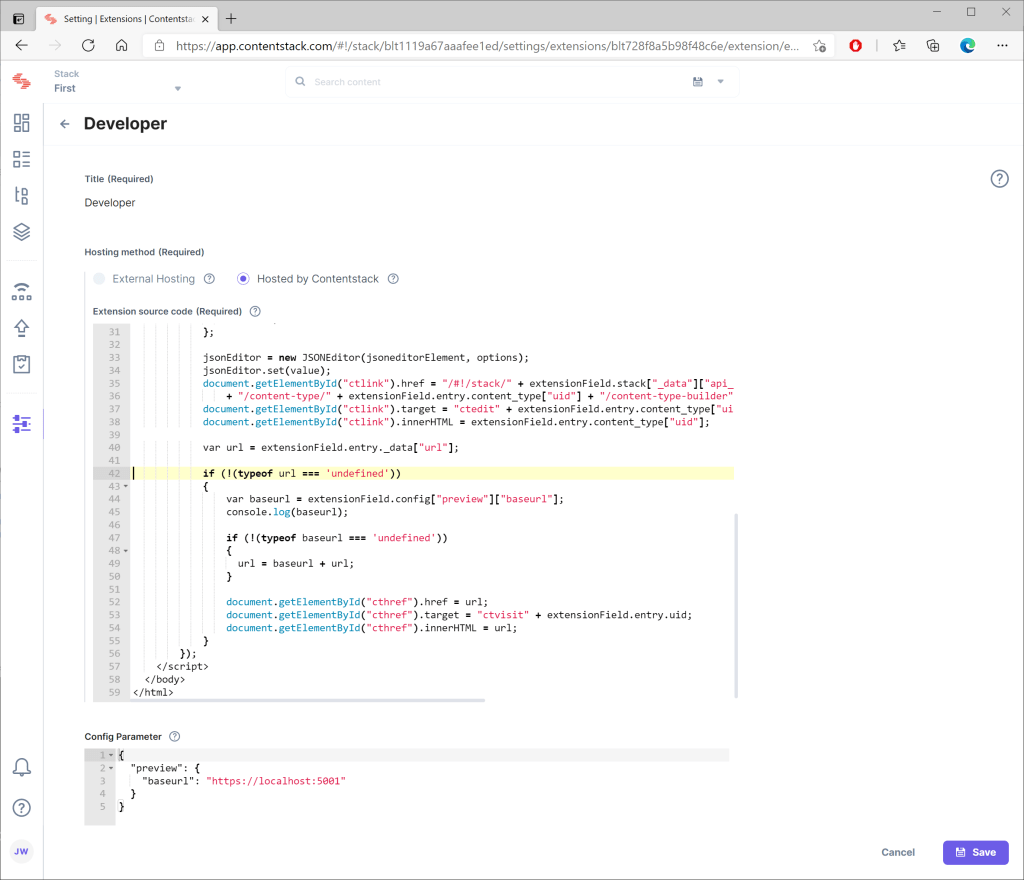
As someone who doesn’t know HTML or JavaScript, I think that the code is relatively straightforward.
<!doctype html>
<html lang="en">
  <head>
    <meta charset="UTF-8"/>
    <title>Ace Editor Extension</title>
    <style>
      body { margin: 0; }
    </style>
    <link href="https://assets.contentstack.io/v3/assets/blt30b41f7b9a5d7467/bltb6bb4f7db098181f/5b39e605fda2af4e7866b92c/jsoneditor.min.css" rel="stylesheet" type="text/css">
    https://www.contentstack.com/sdks/contentstack-ui-extensions/dist/latest/ui-extension-sdk.js
    https://cdn.jsdelivr.net/npm/lodash@4.17.4/lodash.min.js
    https://assets.contentstack.io/v3/assets/blt30b41f7b9a5d7467/blte7fe106cc93cf2bf/5b33888fcfc846f95726af6f/jsoneditor.min.js
  </head>
  <body>
    <pre>Edit Content Type: <a id="ctlink" href="" target="_blank">Edit Content Type</a>
Visit: <a id="visit" href="" target="_blank"></a></pre>
    <div id="jsoneditor"></div>
    <script>
        window.extensionField = {};
        var jsoneditorElement = document.getElementById("jsoneditor");
        var jsonEditor = {};

        ContentstackUIExtension.init().then(function(extension) {
            extensionField = extension;
            var value = extensionField.entry._data;

            var options = {
                modes: ['text', 'code', 'tree', 'form', 'view'],
                mode: 'code',
                ace: ace,
            };

            jsonEditor = new JSONEditor(jsoneditorElement, options);
            jsonEditor.set(value);

            document.getElementById("ctlink").href = "/#!/stack/"
                + extensionField.stack["_data"]["api_key"]
                + "/content-type/" + extensionField.entry.content_type["uid"]
                + "/content-type-builder";
            document.getElementById("ctlink").target = "ctedit"
              + extensionField.entry.content_type["uid"];
            document.getElementById("ctlink").innerHTML =
              extensionField.entry.content_type["uid"];

            var url = extensionField.entry._data["url"];

            if (!(typeof url === 'undefined'))
            {
                var baseurl = extensionField.config["preview"]["baseurl"];

                if (!(typeof baseurl === 'undefined'))
                {
                  url = baseurl + url;
                }

                document.getElementById("visit").href = url;
                document.getElementById("visit").target = "visit"
                  + extensionField.entry.uid;
                document.getElementById("visit").innerHTML = url;
            }
        });
    </script>
  </body>
</html>
Update 30.April.2021: Updated code with the following enhancement and the missing CSS file.
 deliverystack.net
3 thoughts on “-Contentstack Developer Custom Widget”